Sunday, December 12, 2010

Review of some cloud computing service providers

When considering about porting your app to the cloud for all those good reasons, the first thing you might encounter is: which platform you should go for?

After having tried some of the major ones here are some brief reviews:


1. Google App Engine

PaaS (Platform as a Service)

- Ease of use
yeah, it's for me by far the most easiest cloud computing platform with full functionalities provided right out of the box.
PaaS means, it's already thought that you'll develop something on the cloud to provide your application to the wide variety of users on the web.
User authentication, some nice Google APIs, easy to use database, and straight away ready to go IDE (Eclipse based for Java) and App Engine Launcher (for Python).
Nothing to really configure, build, learn, etc... Can't really complain.

- Easy to use, an excellent non-relational database
one of the plus in this might be, that we can just use the Google's excellent non-relational database. It's straight away to go, so easy to use.
Though this might be a minus, when people want to stick with traditional relational database with SQL. Though with paid-option, with the App Engine for Business, you can use the traditional SQL database.

- Pricing
pricing is very reasonable. Even excellent should I say? It's free up to some stage of usage, and we use it free until we have enabled the "paid usage" option.
Still with free-option we get the full functionality.

- Programming language limitations
programming language of choice is limited to Python and Java.

- Any external libraries?
well, it's one of the main issues for me and probably for most of the scientists and engineers who'd like to port their scientific and engineering applications to the cloud in choosing the Google App Engine.
Usage of external libraries is limited to pure Java or pure Python package. In this sense, Java seems to be a better choice for development with some external libraries (see my previous post "Java or Python"). Yeah, that means no Numpy or Scipy for Python... You might consider using Java with Apache Commons Math library instead when you're looking for an option to use any mathematic library with Google App Engine.
And further, the number of files you can upload to your cloud computing instance is limited to 3000 files (for both Python and Java). That means, you can't just dump any arbitrary files of libraries on the cloud.

- Summary
I think it's definitely the first thing to try out when you want to try out cloud computing development. Though when thinking your application might become complicated, consider about using something else.


2. Microsoft Windows Azure Platform

PaaS (Platform as a Service)

- Ease of use
not quite much so. It's also a PaaS service, designed with the thought that you'll service your app on the cloud, but, the approach is quite transitional or even traditional.
The web service approach is very much taken as the ASP.NET framework, and you need to have all those things to develop something like ASP.NET, MS application things on Windows (Windows Vista or higher, MS Visual Studio 2010, Windows Azure SDK, etc...).
Not so easy thing like the Google App Engine, where all those things for webapp development is provided straight away, you need to implement by yourself. Oh, yeah... Not so much recommended for the beginners...

- MS SQL Server database
MS SQL Server is the default database system provided.

- Pricing
Similar to the Google App Engine. Though you need to provide all your credit card information and so on when you register. Scary? Well, I registered, tried a simple development, haven't done anything on Azure since then, and I've not been charged since.

- Programming language limitations
they say almost any language can be use to develop your Azure application (this is a big plus!). Though some tweaks would be needed. The default programming language of choice, with nice samples and examples provided, is C#.

- Any external libraries?
again, they say you can install and use almost any external libraries for your Azure application (again, this is a big plus!), as long as it doesn't conflict the Web Role and various other Roles... (somewhat complicated here with those various roles...) And some tweaks would be needed.
But unlike Google App Engine, it seems like MS Azure team is quite interested in attracting scientists and engineers to their cloud computing platform, and quite a few cool things are provided or planed to be provided (Web N-gram Services, Matlab support, etc... look here).

- Summary
it would be a good choice when you're already very serious about porting your application to the cloud and have already some working set, with some library dependencies. Limited to MS Windows platform, but good support for scientific & engineering application development is expected. Not quite suitable for beginners or someone who just want to try out cloud computing PaaS.


3. Amazon EC2

IaaS (Infrastructure as a Service)

- Ease of use
it's easy to use in the sense that you get the familiar computing instance (on the cloud, of course) as you're used to using your own personal computer.
It's not easy to use in the sense that you need to develop all the applications and services to serve your application on the cloud (no straight to go user authentication and database connection as in the Google App Engine).
Yes, it's a IaaS, unlike those Google App Engine and Windows Azure. You kind of get a machine... on the cloud. Then you remote connect to it, and you develop your application... remotely. As a machine you can choose Linux or Windows. And they take all the goodies of the cloud computing (scalability etc...)
And you can copy your virtual machine instance to give it to anyone, or make a branch.

- Database
as you get a machine instance, you can install what ever database you want. Though you need to build the platform by yourself, like connecting the database to the webserver and application.
And Amazon provide all those "database for the cloud" services (Amazon SimpleDB, Amazon RDS, Amazon S3, Amazon EBS, Amazon Elastic MapReduce ...), which I haven't looked quite much in detail. Though it seems like they are not limited to be used only with Amazon EC2.

- Pricing
you pay by the usage hours of your machine instance. And pay extra when you use more then those are covered by the default allowance (see here).
Though you can turn your machine instance "off" when you're not using it, to prevent being charged for nothing.

- Programming language limitations
no limitations, of course. You use whatever you want... almost.

- Any external libraries
no limitations, of course. You use whatever you want... almost.

- Summary
it's good when you already have a working web application, which you want to deploy on the cloud computing infrastructure. You get a machine on the cloud!
Not quite much for beginners, or who want to try out cloud computing.
The pricing can become expensive, when you want to keep your web service always on. Unlike the Google App Engine, which is turned on by request, the machine is either always turned on or off by you. And when it's turned on, you pay for it.

Friday, October 22, 2010

t(good_idea) = bad_idea?

Sometimes you think something is such a good idea, and think, when you make a product out of this idea, it will be a big hit. (You don't? Well, I do...)

One of them was something like the 3D Timeline, a product of BEEDOCS.


I was thinking "managing my timeline in nice representable 3D form will be great!"
Then I noticed that there is a commercial product out there already, and I tried it.
Well, it was less then what I expected.
Or probably, there needs to be a lot of work, to make it really easy and intuitive to use.

Then I happened to use the MS Project.


Man, it's so much easier and intuitiver to use, and is so much more helpful and useful to me!
Don't really care about 3D representation of my timeline, when it's nice, easy and intuitive to use like this!

So now, after a while of time (with the function of time t(x)), my idea about 3D representation of timeline found out to be, it was not so much a good idea after all, I think.

Logging is your friend

Matt Welsh (a Harvard professor, working in Goolge for some months) posted this nice blog post about his experience working in Google.
Computing at scale, or, how Google has warped my brain

(Well, also a Berkeley professor Randy Katz did interview about his experience in Google, which was also very inspiring.
I guess working in Google is very inspiring isn't it?! I want to be inspired as well!!! >.< )

Anyway, apart from all those nice technologies he mentioned that he could use in Google (that we have no access to), the thing about having a cloud computing infrastructure and "Log first, ask questions later" is a really nice insight, I think.

Yeah, logging really is your friend, when you develop anything on cloud computing, even if you do on a small cloud computing infrastructure you've built (like me!).
I haven't quite realised until now the importance of loggin everything and also that of the unit testing.

They really are important because you have limited possibilities and options for debugging.
From now on, I'll insert logging code everywhere in my code, and keep doing unit testing...

Next step of pop music & pop culture era?

When you now listen to the music of The Beatles or Deep Purple, oh man! The sound!
It sounds so old!


Well, people say it's the sound of nostalgia.
(By the way, in my opinion, the Led Zeppelin sounds still not bad.)

Then there was a MIT graduated electrical engineer who formed the Boston, where they kind of revolutionised the sound of pop recording.


So far the 60's and 70's rock musics.

Then came the Michael Jackson and Madonna with some visuals, dancings and music videos.


Now there's someone like Lady Gaga and Black Eyed Peas (I love them!),


but, I don't think it's the next step of pop music and pop culture era.

Then what will be the next era of pop music and pop culture?
Of course, I believe in software. And the power of imagination.
I think the next step will be with strong introduction of interactive form of software.
Of course I'm not talking about any softwares that needs to be installed.
It will be with something like the HTML5!

As like this amazing HTML5 music video!


With the introduction of the Google TV, those form of new era of interactive pop music consumption and pop culture is right in front of us coming as the main era of pop culture consumption, I think.
Or maybe some cool whole new 3D sound device will be invented and the music will change according to that.

About whole this idea of the next step of the music evolution, David Byrne has made a nice presentation at TED talk, relating the evolution of music to the sound of birds, that they both tend to match to their surrounding circumstances and environments:


Sunday, October 3, 2010

Java or Python?

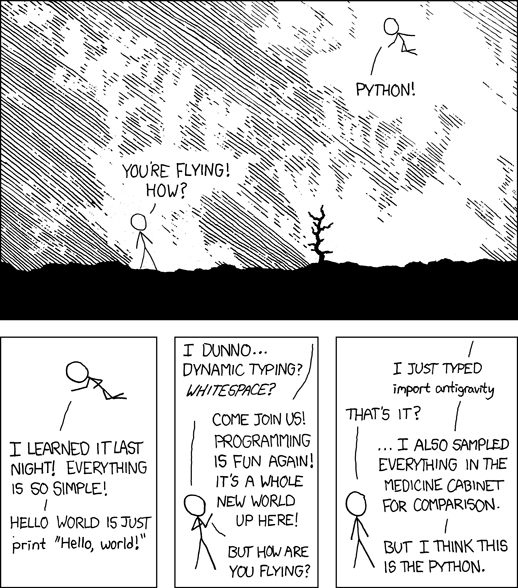
Python is a great programming language.

(Image from xkcd web-comic.)


It is so simple, powerful, dynamic, and easy.
It has very good support of interacting with other C/C++ based libraries like OpenCV, VTK/ITK, R, etc.
It has a very good support for mathematical/scientific programming with its very nice Numpy and Scipy packages.

Though when it comes to developing enterprise application, how good is it?
In developing enterprise applications, we want to package the whole application as a single package.
Does Python have any good support for something like that?
It might be useful for Unix-like systems as an open-source distribution, in that the developers make a Make-script and included the other dependencies to auto-compile all of them.
But when we want to just distribute a single, ready-to-use package, how good is Python in that aspect?

And, about Cloud Computing,
and using one of the most used Cloud Computing infrastructure: Google App Engine,
we can only use pure Python or Java code to program our application for it.
Then the advantages of Python about Numpy, Scipy and all the other good support for nice interface for the other C/C++ based libraries, just go away.

Java is in contrast, pretty much self-contained.
But it's not as easy and intuitive as Python.

Now, some people say Jython might be a good option for developing for the Google App Engine, when we want to take the advantage of the both worlds: here.

So, what is the answer?
May be we're still waiting for a perfect programming language to come.
Waiting for Godot...

(Image from here.)


But I'll update here about my decision, experience and so on about the dilema - Java or Python, especially for scientific programming and cloud computing.

Friday, September 24, 2010

The Little Prince - Programmer's Version - Chapter 12, 13, 14

---

The last post about this "The Little Prince - Programmer's Version",
which I saw originally in Korean version in here.
I contributed all of my translation to the Google Translate.

---

Chapter 12.

A debugger was living in the next planet.
It was a very short visit, but plunged the little prince into deep dejection.
"What are you doing?" said the little prince to the person who is typing with a bunch of code and comments.
"I'm debugging." He said somberly.
"Why do you debug?"
"To catch bugs." He said with his head bowed.
"Why do you catch bugs?"
"For a clean and beautiful program." he answered.
"Why do you code such a program?"
"That makes debugging easier!" answered the person and remained silent.
('Adults are very odd') told the little prince to himself.


Chapter 13.

In the 4th place the little prince visited, a file sharer was living.
He kept his head so close to the monitor so that he didn't raise his head as the little prince arrived.
"Hi, your noodle is overcooked." said the little prince watching the instant noodle on the desk.
"Those three files here and two files of torrent and adding the 10 files which I uploaded on rapidshare... hi. And 36 files to send to pirate bay... hu! So totally 512GB, and 1440 and one."
"What are 10000 pieces?"
"Oh, you're still there? I'm too busy ... when I add three to two"
"What are those million pieces?" asked the little prince again.
"The entrepreneur raised his head."
"I was disrupted only three times since I booted my computer in 25 December 2009. The first time was when the server was dead attacked from DDos, the second was because of my nerve aches, as I'm computing sitting in this position, and the third is... now!"
...
"What are you doing with those 10000 files?"
"What do I do?"
"Yes."
"I'm doing nothing. I own them."
"You own the files?"
"Yes."
"But according to the terms and conditions I saw before..."
"Companies don't own the contents. They . That's a very different story."
"But what is that good to you that you own those files?"
"My mileage raises."
"What is it good for that your mileage raises?"
"It's useful for downloading the other files in high-speed."
(He's talking like the debugger) thought the little prince.
...
"So, what do you do with those files?" asked the little prince.
"I keep those in my hard disk compressed. And then I do disk defragmentation continuously. That's a hard job".
The little prince was still not satisfied.
"I, I can do some calculations with Open Office, I can connect to the network with browser. But you can't do anything with your illegally obtained programs!"
"I won't. But I can share them."
"What does it mean?"
"I upload my files in file sharing sites compressed."
"And that's it?"
"That's it."
...
(Adults are very odd) mumbled the little prince to himself.


Chapter 14.

The fifth place he visited was a very interesting place.
There was a very huge computer and a programmer.
He was keeping making a patch of some game.
...
Approaching him, the little prince greeted him politely.
"Hi, that's a command." said the patch maker.
"What is a command?"
"That's creating a new patch. Here you go."
And then he handed over the overwritten USB.
"Why did you give me the USB again?"
"It's a command."
"I don't understand." said the little prince.
"Because command is a command. Here you go, the new version."
Then he wiped out his sweat and did coding hard.
"I've got a hard job. It was ok before. I just needed to redecorate some contents every month. Then the other times I needed to maintain them."
"Then did the game go wrong after that?"
"No, that it did not go wrong is the problem! Because the users are consuming contents faster and faster, my bosses wanted me to make patches continuously."
"So?"
"So the this game's contents change a little bit every minutes. For example the colour of the NPC changes a little bit.."
"That's odd! Your game is being patched continuously!"
"That's not odd at all. While we are talking, the new prototype of a new donjon was published." (That was because probably the computer was very good and there were a lot of those developers.)
"Already?"
...
The fact that he could not be in a blessed place was because 1440 version ups were possible in 24 hours, which was the little prince could not confessed even to himself.


Friday, September 3, 2010

Platform independence in Mac OS X

As OS, I'm using Mac OS X, Windows and Linux.
So, in choosing software programs, I prefer platform independence rather then any platform dependent software, as I do for choosing something for development.

And those platform-independent free or open-source programs are great in their features as well.
So, here are my platform independent software apps on my Mac OS X:

1) Picture management, import, viewing program:
I use Picasa instead of Mac OS X's iPhoto.


It's very good, with many extra features for photo editing, blogging, uploading on web albums, and further functionality like tagging, etc.
And it works very well on both Windows and Mac OS X.
I haven't tested it on Linux yet, but it is supposed to be working fine on Linux as well, as as far as I know it uses Wine to make the originally Windows program working on both Mac OS X and Linux.

2) Video playing, watching program:
As a Korean (mainly for reasons of subtitles for foreign movies), GOM Player was the (kind of - it would have been a lot better without all those adverts) best choice for video watching program, on Windows (only!).
Its very easy and intuitive user interface is very addictive!
And very good support for subtitles (of course especially Korean)!
But here is another option: MPlayer!
Works fine on Windows, Mac OS X and Linux.
On Mac OS X, I use MplaerX.

Nice, simple user interface with the convenient and intuitive interface (almost the same) as the GOM Player.
And no adverts!
The Korean subtitle just works!

3) Music playing program:
I don't quite like, or I didn't appreciate yet to this point, the complicated interfaces and functionalities of the iTunes.
On Windows, I very much liked the simple interface of the Winamp.
For OS-independence, and even better as an free-and-open-source program, there is:
VLC media player
It is actually a media player, not only for music but also for videos and streaming media, but I find MPlayer better for video and VLC media player better for music.
Well, MPlayer is also a media player, so that it plays music etc..., but that might be a personal preference.

4) Internet Browser
Firefox and Google Chrome.
I guess not so many words are needed for those.
There are pros and contras for each of those programs.
I quite like Google Chrome's extension sync function.

5) E-Mail and Contact management program
Thunderbird

There has been a time where it had some issues so that I preferred using Microsoft Outlook (Windows), Apple Mail (Mac OS X) and Evolution (Linux), but I think now it's so good that I'm using Thunderbird on all of those platforms.
And I think it's even better than the other e-mail and contact management programs mentioned above, because your contacts can be managed by one program for all.

6) IDE
Eclipse IDE.
I guess not so much word to say about it.
You can develop almost any language on it.
I've been posting about Eclipse IDE in this blog.

7) Virtualization
Quite often we need to run virtual machines, because there are some programs we need to run, which run only on specific OS.
I've posted about choices and aspects of virtualization programs in my previous post here.
I'm using VirtualBox.

7) Image editing program
Gimp is a very fine image editing program, runs on Windows, Mac OS X and Linux.
Some proprietary programs might be better, but it's free, open-source, and does the job for normal image editing use.